Apps · VisibleHour · Apple Watch visual timer
A visual timer for Apple Watch
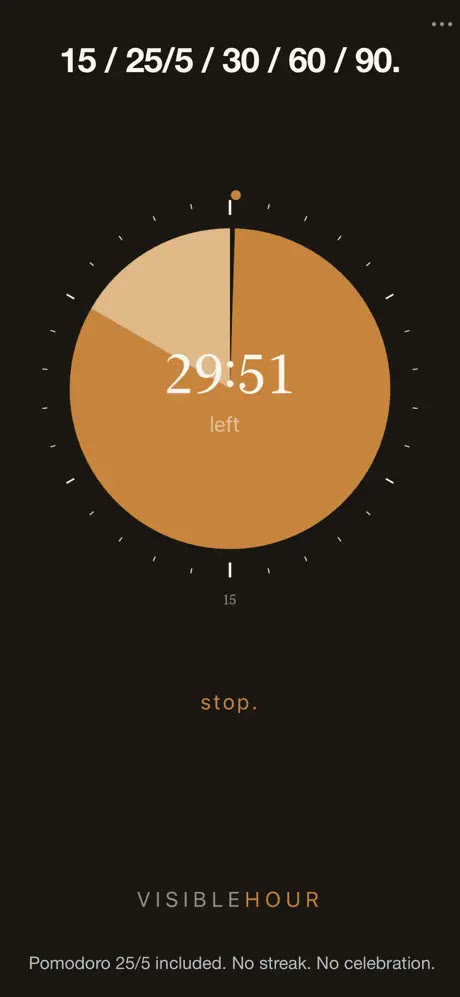
VisibleHour puts a draining dial on your wrist. Start a session on your Watch and the amber wedge shrinks toward 12 as the minutes go, right on your watch face. Try the same dial free in your browser below.
This free timer runs in your browser, not on the Watch. On the wrist, it's the VisibleHour app.
On your wrist
- On the watch face. Complications in four families: circular, corner, rectangular and inline. Raise your wrist and the dial is there.
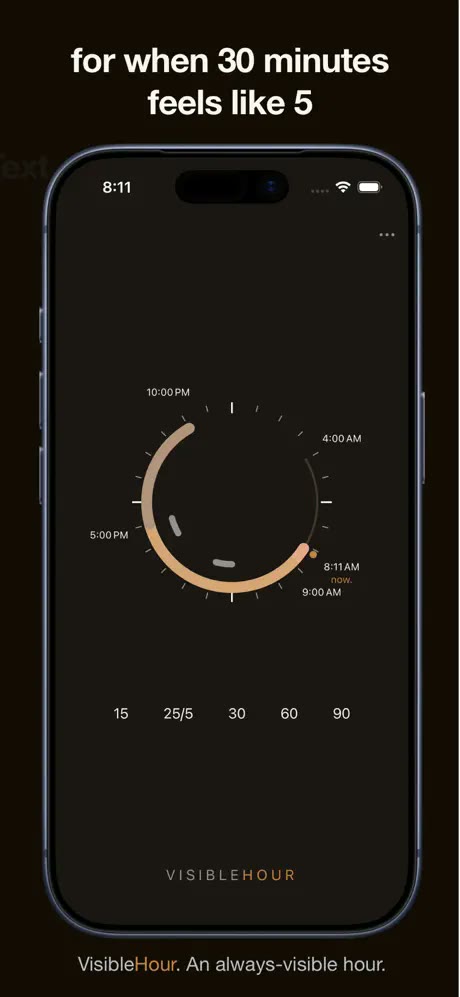
- Sessions from the Watch. 15, 25/5 Pomodoro, 30, 60 or 90 minutes. Tap the dial during a session to fill the screen with the countdown.
- A quiet wrist tap. At an interval you choose, a haptic tap and a note: Notice the time. No banner, no streak.
- The day, too. Your waking hours drain on a 24-hour dial, so a glance shows how much day is left, not just the hour.
With your other screens
- Start a session on your iPhone and the dial fills on your Watch within a second. Stop it on the Watch and every screen clears together.
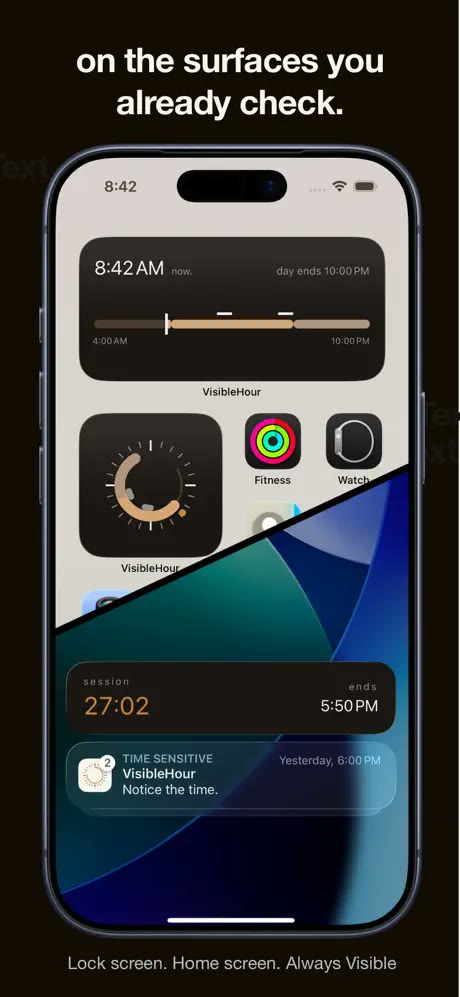
- The session also shows in the iPhone's Dynamic Island, on Lock Screen and Home Screen widgets, and in a Vision Pro window.
- Sync runs through your private iCloud database. VisibleHour has no analytics and no third-party SDKs.
- One purchase covers iPhone, iPad, Apple Watch and Apple Vision Pro. The Watch app needs watchOS 11 or later.
Get VisibleHour for Apple Watch
$4.99 once, no subscription. One App Store purchase covers iPhone, iPad, Apple Watch and Apple Vision Pro. An Android version is sold separately on Google Play; it has no watch app.

Questions
Can I see the timer on my watch face?
Yes. VisibleHour has complications in four families: circular, corner, rectangular and inline. Add one to your watch face and the dial is there every time you raise your wrist, without opening the app.
Can I start a timer from the Watch?
Yes. The Watch app has the same presets as the iPhone: 15, 25/5 Pomodoro, 30, 60 and 90 minutes. During a session, tap the dial to fill the screen with the countdown.
Does a session started on my iPhone show on my Watch?
Yes, if you're signed into iCloud. A session started on iPhone, iPad, Apple Watch or Apple Vision Pro shows on the others within a second, and stopping it on one clears them all. It syncs through your private iCloud database.
What is the wrist tap?
An optional cue to notice the time. Choose an interval in Settings and, during your day, the Watch gives a quiet haptic tap with the note: Notice the time. It isn't a streak or a reminder to do anything; it's a nudge to look up.
Does the free timer on this page run on Apple Watch?
No. Apple Watch doesn't run web pages like this one. The free timer runs in a browser on a phone, tablet or computer, so you can try the dial. On the wrist, you need the VisibleHour app.
How much is it, and what do I need?
$4.99 once, no subscription. One App Store purchase covers iPhone, iPad, Apple Watch and Apple Vision Pro. The Watch app needs watchOS 11 or later. The Android version is sold separately and has no watch app.
Just want the timer? The visual timer page has the same dial with fewer words. Losing track of time? Read about time blindness.