Made to stay out of the way
- Sets of 33 to start with. Change the number to match what you recite, or clear it to keep a running count.
- The counter shows where you are, count 12 of 33, set 2, and marks each set as complete.
- On phones that allow it, a short vibration tells you a set is done, so you can keep your eyes closed.
- No sound, ever. Full screen leaves only the count and one big button, and Keep screen on stops the screen sleeping.
- A separate counter for each phrase, each with its own name and set size.
How to use it
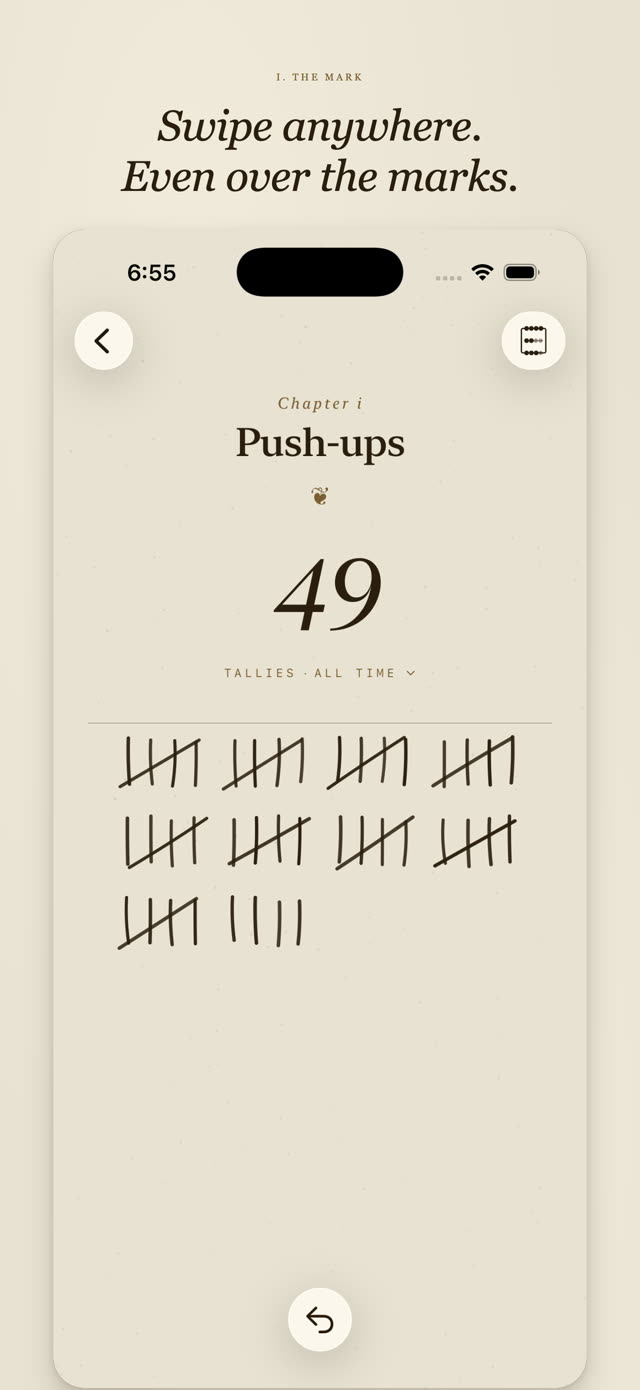
- Tap +1, or anywhere on the page of marks, for each recitation.
- The curved arrow takes one off if you tap twice by mistake.
- Tap the name to rename a counter. Add another counter for the next phrase.
- On a keyboard, Space or + adds one and − takes one off.
- Reset to zero asks you to tap twice, so a stray tap can't clear your count.
A daily count, on your phone
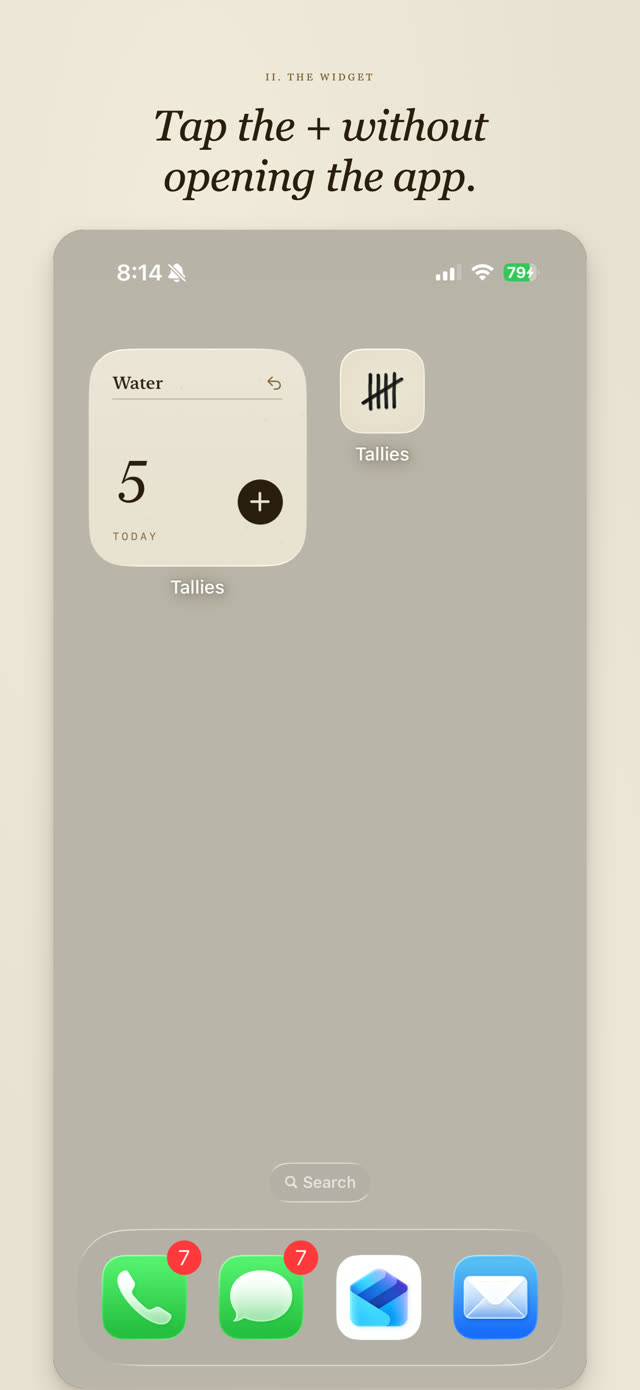
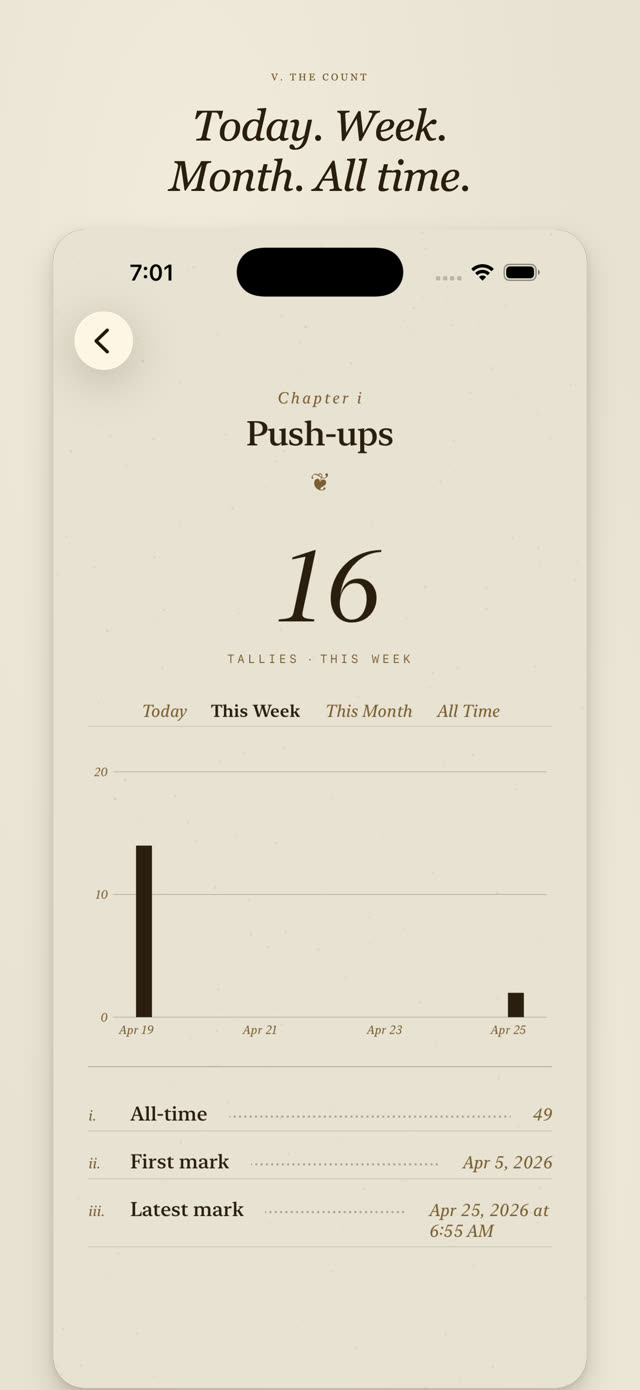
Tallies is our app for the things you count each day. Keep a page for each practice, add one with a swipe or from the home-screen widget, and see your totals by day, week, month or all time.
The app keeps a running count; it doesn't count in sets. No streaks, no notifications, no account. Free to start with one journal of two items. A one-time $4.99 unlocks everything.


Questions
How do sets work?
Each counter starts with a set of 33. The counter shows where you are, such as count 12 of 33, set 2, and marks the set complete when you reach it. Change the number to whatever you recite, or clear it to count without sets.
Can I keep a separate count for each phrase?
Yes. Add a counter for each phrase and name it. Each keeps its own count and its own set size.
Does it make any sound?
No. There is no sound at all. On phones that support it, you feel a short vibration when a set is complete, so you can keep your eyes closed. iPhones do not allow websites to vibrate.
Can I use it for the rosary or other prayer beads?
Yes. Set the size to match your beads, for example 10 for a decade, and rename the counter.
Will my count still be here later?
Yes, in the same browser on the same device. Counts are saved in your browser's storage, so a private window, or clearing your browsing data, starts you back at zero.
Is it free, and is my count private?
Yes. There is no account, no ads and nothing to install. Your counts stay in your browser and are not sent anywhere; the page uses Google Analytics to count visits.
Counting something else? Use the general online tally counter.